Delete Account
Follow these simple steps to permanently delete your Sparrow AI account and all associated data.
1
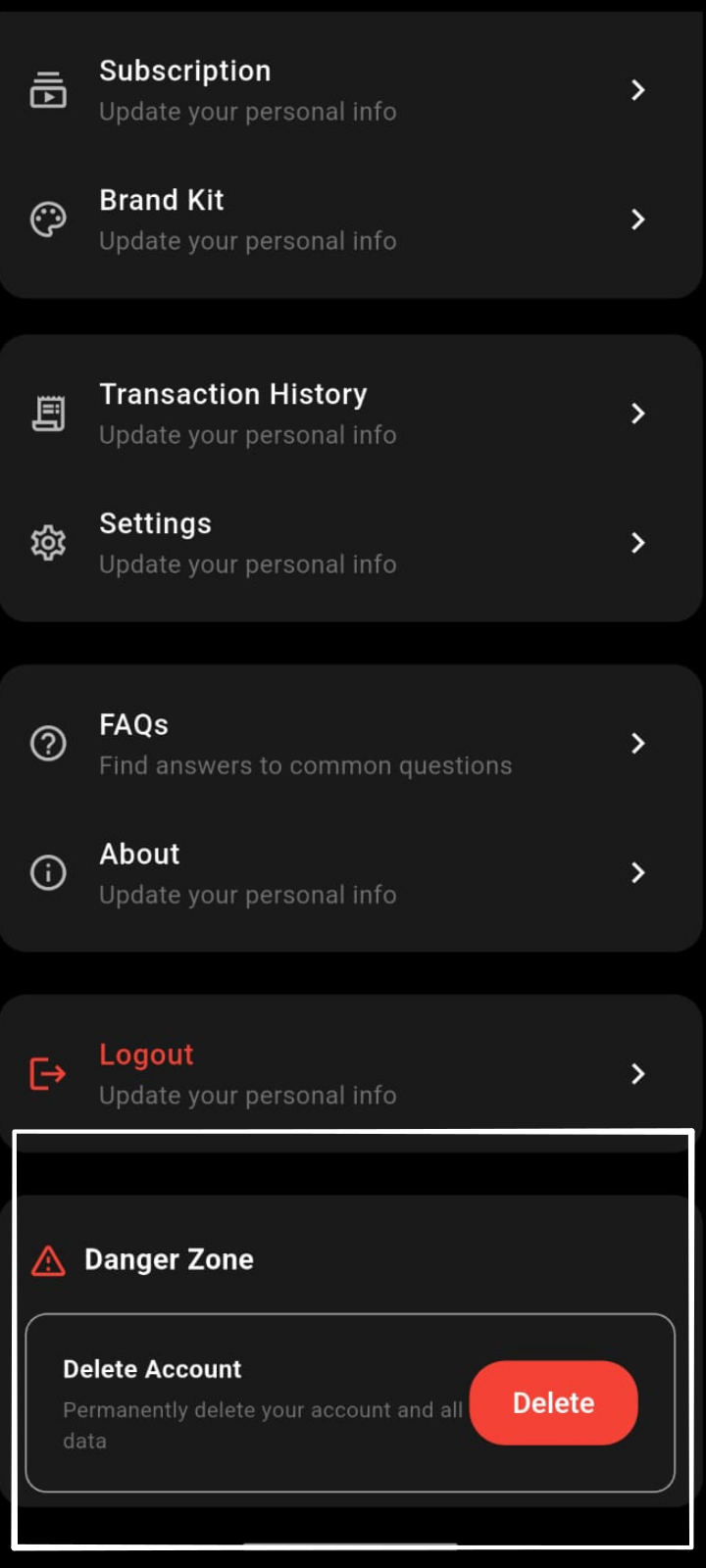
Access Account Settings
Log in to your Sparrow AI account and navigate to the account settings section. You'll find this in the main menu or profile dropdown.

2
Confirm Deletion
Find and click the "Delete Account" button. A confirmation dialog will appear asking you to confirm this action. Review the information carefully before proceeding.
⚠️ Important Information
- • This action is irreversible. All your data will be permanently deleted.
- • Your account and associated content will be removed from our servers.
- • You will lose access to all premium features and saved content.
- • If you have active subscriptions, they will be cancelled immediately.
- • You can create a new account after deletion using the same email address.
Need Help?
If you have any questions or need assistance with deleting your account, please contact our support team at admin@salesparrowai.com